
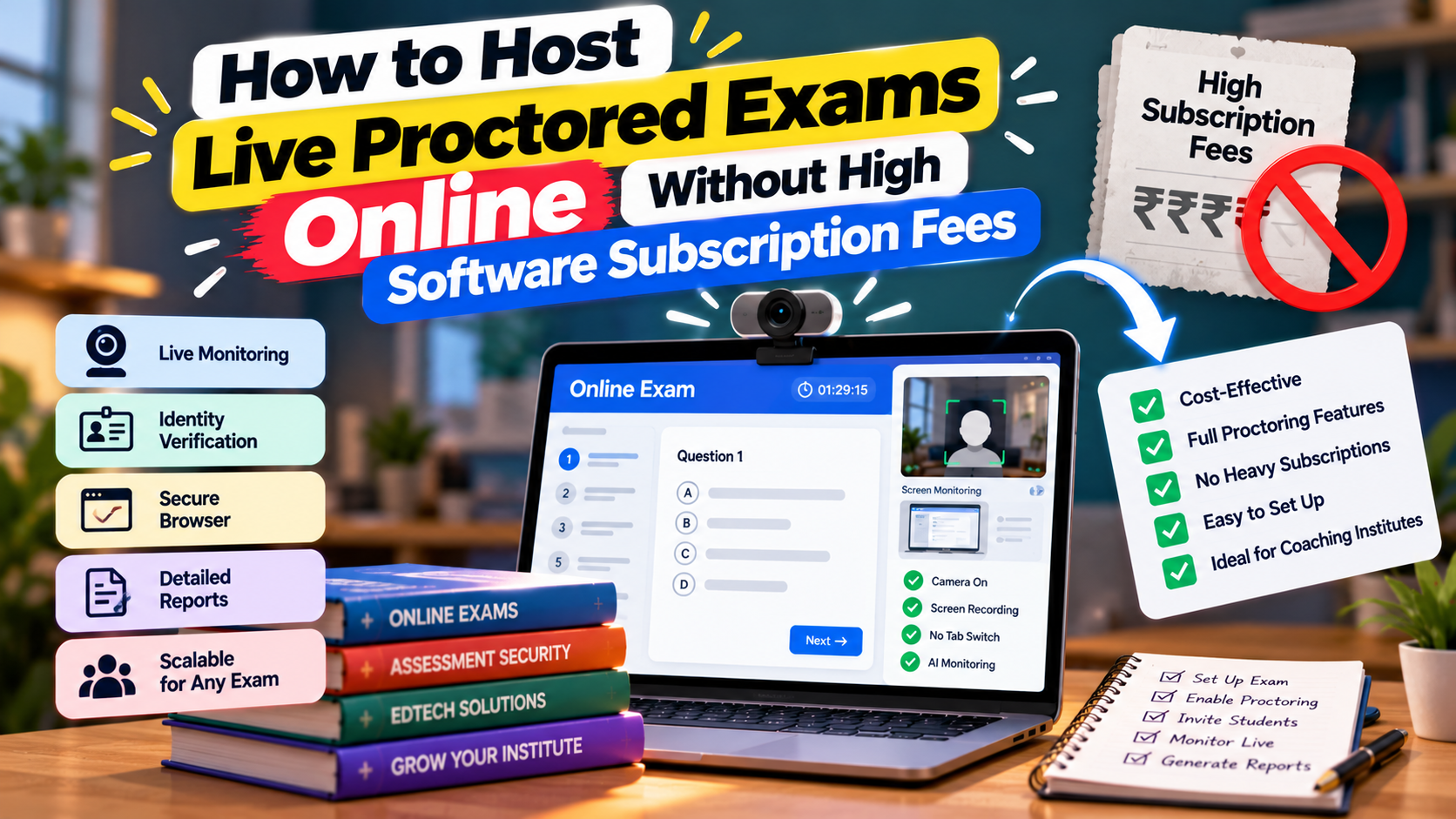
For private tutors, coaching institutes, and independent educators, conducting secure online examinations has traditionally come with a painful financial dilemma:
Rely on Basic Free Forms: Use survey tools that offer zero anti-cheating security, allow students to tab-switch freely, and lack real-time exam countdown timers.
Pay Enterprise SaaS Fees: Subscribe to enterprise online proctoring software charging exorbitant monthly subscriptions (often ₹15,000 to ₹50,000/month or heavy per-student fees).
For small-to-medium coaching centers, these corporate software costs destroy profit margins.
The EdTech landscape has evolved. Independent educators can now host secure, live proctored exams online with zero fixed monthly software fees by leveraging pay-as-you-go creator platforms like Testkart.
Here is your complete guide to hosting anti-cheat, real-time proctored exams without breaking your operational budget.
What Are Online Proctoring Services?
An online proctoring service is a digital assessment environment that monitors students during distance testing to prevent academic dishonesty.
While enterprise universities use human proctors over webcams, modern coaching institutes rely on automated browser proctoring. This technology locks down the student's testing window, disables unauthorised background applications, and enforces strict time parameters without requiring human invigilators or expensive video streaming hardware.
Live Proctoring vs. AI Proctoring: What Suits Your Coaching Business?
Understanding the difference between manual video proctoring and automated browser-based proctoring helps you choose the right fit for your budget:
Feature / Metric | Human Live Proctoring | AI & Automated Browser Proctoring (Testkart Model) |
|---|---|---|
Operational Cost | High (Requires paying human invigilators per hour) | Zero fixed subscription (Pay-as-you-go) |
Bandwidth Requirements | High (Requires HD video streaming from every camera) | Low (Runs smoothly on basic 3G/4G connections) |
Scalability | Hard-capped (1 proctor handles max 15–20 students) | Unlimited (Scale to 10,000+ simultaneous test takers) |
Setup Overhead | Complex camera configuration | Plug-and-play setup (<10 minutes) |
Best Fit For | High-stakes university degrees | Coaching test series, weekly mocks, & state exams |
Key Takeaway: For coaching centers and independent tutors, automated AI/browser proctoring offers the perfect balance: complete anti-cheating security at a fraction of the cost of live video invigilation.
Essential Anti-Cheating Features Needed for Secure Live Exams
A proctored exam software must balance security with ease of access. When hosting live tests online, ensure your platform automatically enforces four core anti-cheating mechanisms:
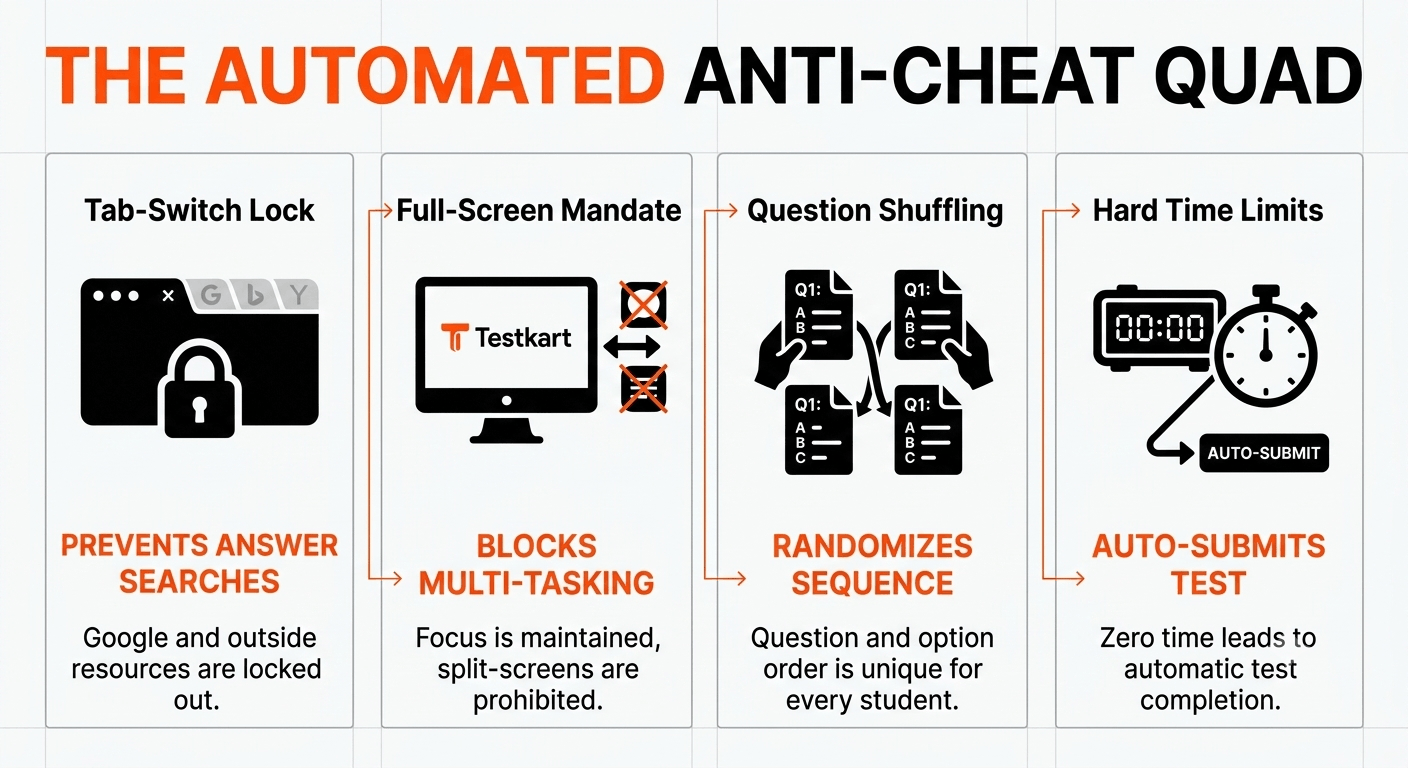
1. Automated Tab-Switch Detection
When a student attempts to open a secondary tab, switch desktop windows, or trigger background messaging apps, the platform flags a violation. After a pre-set limit (e.g., 2 warnings), the test automatically locks and submits.
2. Randomisation and Shuffling Engines
Prevent group cheating in local study rooms by shuffling both the question sequence and the multiple-choice option order for every individual candidate.
3. Screen Lock & Disable Copy-Paste
Disable text highlighting, right-clicking, and keyboard shortcuts (Ctrl+C / Ctrl+V) to prevent students from pasting question text into search engines or AI tools.
4. Server-Synchronised Exam Timers
Client-side timers can be bypassed by altering device clock settings. Secure platforms use server-side clocks that enforce automated submission the second the exam duration ends.
Online Proctoring Pricing Models: What to Expect
Understanding how software vendors price their tools prevents unexpected bills:
Per-Student/Per-Exam Fees: Popular among enterprise platforms, charging ₹50 to ₹200 per candidate for every test attempted. This pricing model quickly becomes unaffordable for weekly coaching tests.
Monthly/Annual SaaS Subscriptions: Requires paying ₹15,000+ per month regardless of whether you host 10 tests or zero tests.
Marketplace Pay-as-You-Go (Testkart Model): ₹0 fixed monthly fee. You upload your tests, set your prices, and only share revenue when selling test packages to external students making it zero-risk for independent tutors.
Assessment Analytics: Turning Exam Data into Academic Insight
Hosting the exam securely is only the first step. Manually grading hundreds of paper sheets can take days. Modern online test engines automate evaluation and deliver deep diagnostic analytics immediately upon completion:
Instant Automated Scorecards: Calculates positive marks, negative penalties, and final scores the moment the test stops.
Real-Time Statewide Leaderboards: Students immediately view their rank and percentile relative to peer competitors across the state or nation.
Question-Level Diagnostics: Instructors receive class-wide reports showing which specific concepts had the highest error rates or longest completion times, making post-exam revision sessions targeted and actionable.
How to Launch a Live Proctored Exam on Testkart
Hosting a live proctored exam on Testkart is fast and straightforward:
Step 1: Access Your Creator Dashboard:No upfront subscription or platform license fee.
Log in to your free Testkart Educator Account and navigate to Live Exams right arrow Create New Live Test.
Step 2: Set Anti-Cheating Parameters:Configure timing, negative marking, and tab locks.
Set the exam title, subject category, total duration, and start time.Toggle on Anti-Cheating Security Controls (Tab-switch lock + Question shuffling).
Step 3: Upload Question Bank & Solutions:Upload via Word/Excel or built-in uploader.
Import your questions, section rules, and step-by-step solution keys for candidate review
Secure Your Exams Without Breaking Your Budget
High technology costs should never hinder an educator from conducting secure online assessments. By transitioning from legacy SaaS platforms to creator-centric marketplaces like Testkart, you maintain anti-cheating security while keeping fixed operational costs at zero.
Ready to conduct your first secure live exam? Create your free Educator Account on Testkart today, schedule your live test, and experience hassle-free proctoring in minutes!
Frequently Asked Questions
Is automated browser proctoring as secure as live human proctoring?
For coaching-level assessments, yes. Automated proctoring covers the anti-cheating mechanisms that matter most for test integrity tab-switch detection, full-screen lockdown, question shuffling, and hard time limits without the cost or scaling limits of hiring human invigilators.
Will proctoring work for students on low bandwidth or basic smartphones?
Automated browser proctoring is designed to run on low bandwidth, unlike HD video-based human proctoring. It's built to work smoothly even on basic 3G/4G connections and low-end devices, which matters since many students take tests on mobile.
How much does it cost to host a proctored exam on Testkart?
There's no fixed monthly subscription. You only share revenue when you actually sell test access to external students so hosting a free test for your internal batch costs nothing.
Can I upload my own question bank instead of typing questions manually?
Yes. You can bulk-upload your question bank via Word or Excel templates, or use the built-in uploader, along with section rules and step-by-step solution keys.
What happens if a student tries to switch tabs during the exam?
The platform flags it as a violation. After a pre-set warning limit (e.g., 2 warnings), the test automatically locks and submits preventing students from searching answers elsewhere.
Comments (0)
Please log in to join the discussion.
Log In to CommentNo comments yet. Be the first to share your thoughts!